HPRCA JOA (IT) Syllabus 2026: Exam Date, Pattern & Complete Subject-wise Syllabus
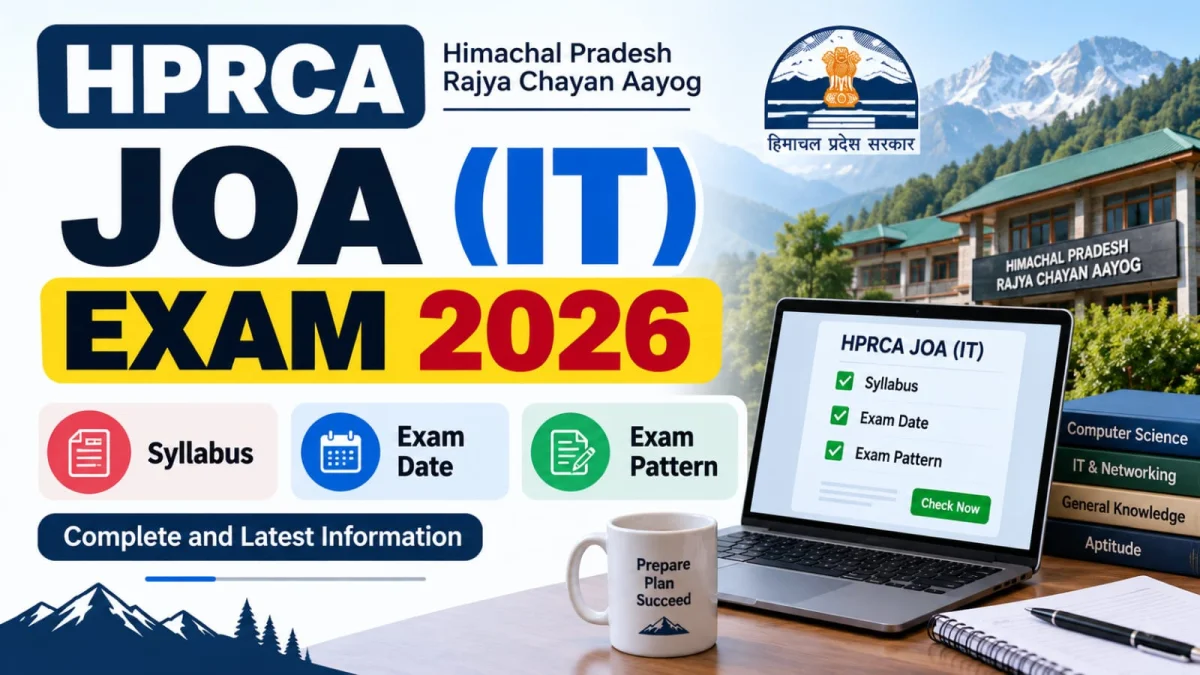
HPRCA has released the exam schedule for the Junior Office Assistant (IT) – Post Code 26001 recruitment on 15th September 2026. This is one of the most awaited updates for candidates who applied for this post, since the exam mode and dates were pending for a while. Below is the complete, subject-wise HPRCA JOA IT syllabus along with the latest exam pattern details released by the commission.
Latest Update: Exam Date & New Exam Mode
As per the notice published by Himachal Pradesh Rajya Chayan Aayog (HPRCA) on 15-09-2026, the JOA (IT) written examination (Post Code 26001) will be conducted on 28, 29, 30 September and 1 October 2026. A key change this year is the exam mode itself — for the first time in Himachal Pradesh, HPRCA will conduct this exam through the Digital OMR Tablet method, replacing the traditional pen-and-paper OMR sheet used in earlier recruitments.
- Post Code: 26001
- Notice Published On: 15 September 2026
- Exam Dates: 28, 29, 30 September & 1 October 2026
- Exam Mode: Digital OMR Tablet Examination (first time in HP)
- Admit Card: Expected to be released after 20 September 2026
Candidates will be able to download their admit card directly from the official HPRCA website once released. Along with this, HPRCA also sends an SMS and email notification to the registered mobile number and email ID as soon as the admit card is issued, so make sure your contact details on the application form are active and correctly filled.
HPRCA JOA (IT) Exam Pattern
The written exam covers three broad areas — Computer subject (as per essential qualification), Mathematics, and General Awareness (which includes GK, Current Affairs, Reasoning, English and Hindi). Since this is a technical post, the Computer section carries the highest weightage, so candidates should prioritize it accordingly while preparing.
HPRCA JOA (IT) Syllabus – Computer Subject
| Topic | Detailed Syllabus |
|---|---|
| Fundamentals of Computer | Definition & characteristics of computer, history & generations, types (analog, digital, hybrid), classification by size (micro, mini, mainframe, super), basic computer organization, block diagram (input-process-output), applications of computer in daily life |
| Computer Hardware | Input devices (keyboard, mouse, scanner, microphone, webcam, light pen), output devices (monitor, printer, speaker, projector), types of printers, CPU & motherboard, CPU components (ALU, CU, registers), primary memory (RAM & ROM), secondary storage (HDD, SSD, pen drive, CD/DVD), memory units (bit to TB) |
| Computer Software | Definition & need of software, system software (OS, device drivers, utilities), application software, programming language software, high/assembly/machine level language, hardware vs software, freeware/shareware/open source, installation & licensing basics |
| Operating System | Definition & functions of OS, types (single user, multi user, multitasking, time sharing), popular OS (Windows, Linux, macOS, Android), Windows basics (desktop, taskbar, Start menu, icons), file/folder management, control panel, Recycle Bin, shortcut keys, booting process, basic DOS commands |
| MS Word | Features of word processing, creating/saving/opening documents, text & paragraph formatting, page setup, header & footer, file protection, lists & numbering, tables, spelling & grammar check, thesaurus, mail merge, macro, print preview & printing |
| MS Excel | Workbook & worksheet concepts, entering/editing data, cell/row/column operations, mathematical/statistical/logical/string functions, cell formatting & borders, charts & graphs, pivot table, goal seek, scenario, sorting & filtering, print area & page setup |
| MS PowerPoint | Creating & saving presentations, adding graphics & multimedia, slide layout & design themes, inserting text/images/tables, slide transitions & animation effects, slide master, hyperlinks & action buttons, slide show view, printing slides & handouts |
| Internet & Networking | Definition, uses & history of the Internet, WWW, website, web page, web browser, URL/HTTP/HTTPS, IP address, domain name, search engines, emails, social media basics, types of networks (LAN, MAN, WAN), network devices (router, modem, switch, hub), wired vs wireless, ISP |
| Cyber Security & Digital Literacy | Computer virus, worm, Trojan horse, antivirus & firewall, types of cyber crimes, safe browsing practices, password security & data protection, phishing & spam awareness, digital payments (UPI, net banking, e-wallet), e-governance, cloud computing basics, digital footprints, IPR |
| Number System | Decimal, binary, octal & hexadecimal number systems, conversion between number systems, ASCII code, basic logic gates |
| DBMS | Purpose & advantages/disadvantages of DBMS, comparison with traditional file systems, data independence, three-level architecture, entity/tuple/attribute/domain/degree/cardinality, keys, MySQL overview, creating/selecting/deleting database, data types & constraints, SELECT statement, WHERE clause, operators, ORDER BY, DISTINCT |
| Web Technologies | HTML: structure, heading & text styles, ordered/unordered lists, images, tables, hyperlinks, form tags. PHP: tools & requirements, scope & basic syntax, variables/constants/data types, operator precedence, control statements, handling HTML forms, functions (declaration, call by value/reference), arrays, strings, regular expressions |
HPRCA JOA (IT) Syllabus – Mathematics
Number System, Profit & Loss, Simplification, Simple & Compound Interest, Percentage, Time & Work, Ratio & Proportion, Time-Speed & Distance, Average, Data Interpretation, Algebra, Mensuration
HPRCA JOA (IT) Syllabus – General Awareness
| Section | Topics |
|---|---|
| General Knowledge | General knowledge including General Knowledge of Himachal Pradesh |
| Current Affairs | National & international current affairs |
| Everyday Science | General science applied to everyday life |
| Logical Reasoning | Verbal & non-verbal reasoning topics |
| English | Reading comprehension, word power, sentence structure, subject & predicate, articles, number, gender, punctuation, noun, pronoun, verb (finite & non-finite), adverb, adjective, preposition, conjunction, interjection, error correction, sentence rearrangement, vocabulary, antonyms & synonyms, tenses, subject-verb agreement, idioms, modals, active & passive voice, direct & indirect narration, phrases & clauses, one word substitution, sentence transformation |
| Hindi Language | भाषा व्याकरण एवं लिपि परिचय, वर्ण विचार, शब्द विचार (तत्सम, तद्भव, देशज, विदेशी), विकारी व अविकारी शब्द (संज्ञा, सर्वनाम, क्रिया, विशेषण, क्रिया-विशेषण आदि), पद परिचय, शब्द शक्तियां, शब्द रूपांतरण (लिंग, वचन, कारक, काल, वाच्य), संधि, समास, उपसर्ग, प्रत्यय, वाक्य विचार, अर्थ विचार (पर्याय, विलोम, वाक्यांश के लिए एक शब्द), विराम चिन्ह, शुद्धिकरण, मुहावरे एवं लोकोक्तियां, अलंकार |
How to Download HPRCA JOA (IT) Admit Card
Once released, the admit card for Post Code 26001 can be downloaded from the official HPRCA website using your application ID and registered credentials. Candidates will also receive an automated SMS and email alert on their registered contact details the moment the admit card goes live, so there is no need to keep manually checking the portal every day — just ensure your registered number and email are active.
Final Word
With the exam date now confirmed and the shift to Digital OMR Tablet mode, candidates should treat the next few days as the final revision window rather than the time to start new topics. Focus on strengthening MS Office, Networking, DBMS, and Number System from the Computer section, since these carry consistent weightage, while keeping daily current affairs and Mathematics practice active till the exam dates in late September.